Reports and posting back
Post journals and records from Excel
Create or change many records at once in Excel with the bulk editor, then post them to Xero or QuickBooks Online. The example is a manual journal on Xero.
- Less than 3 minutes

 Xero and QuickBooks Online
- Excel for Windows and Mac
Before you start
- Connected your entity? If not, start with Connect Xero to Excel or Connect QuickBooks Online to Excel.
- The Rows pane open on the Dashboard, with your entity's name under the logo.
From Excel to your books
Open the Manual Journals editor
In ExcelOn the Dashboard, select Create & Edit Data (the bulk editor), then the download arrow beside Manual Journals. The editor opens in a new workbook.
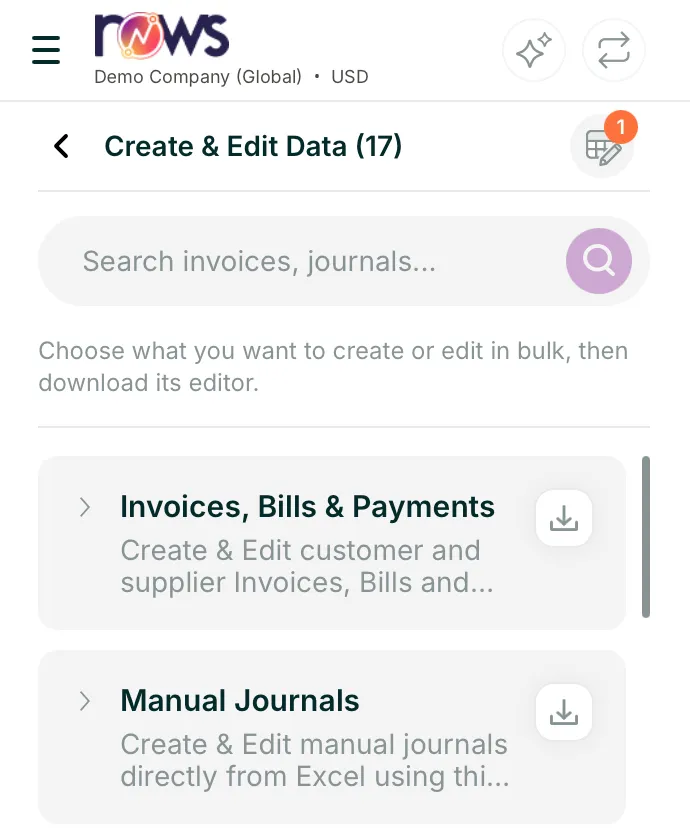
Rows pane, Create & Edit Data Fill in the journal lines
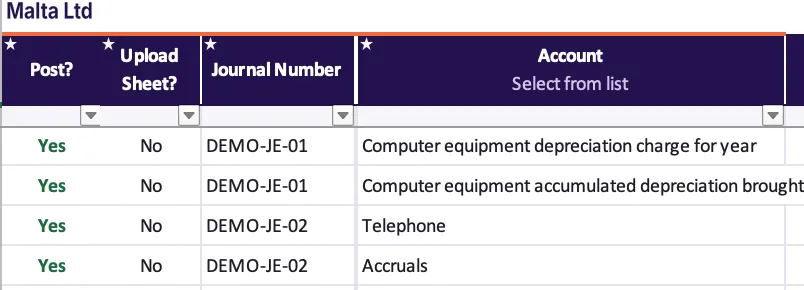
In ExcelOn Manual Journal Template, each row is one journal line, and rows with the same My Unique Reference make one journal. Account, tracking and Tax Rate are drop-downs loaded from your entity. Columns with a star are required, and an empty one turns red.
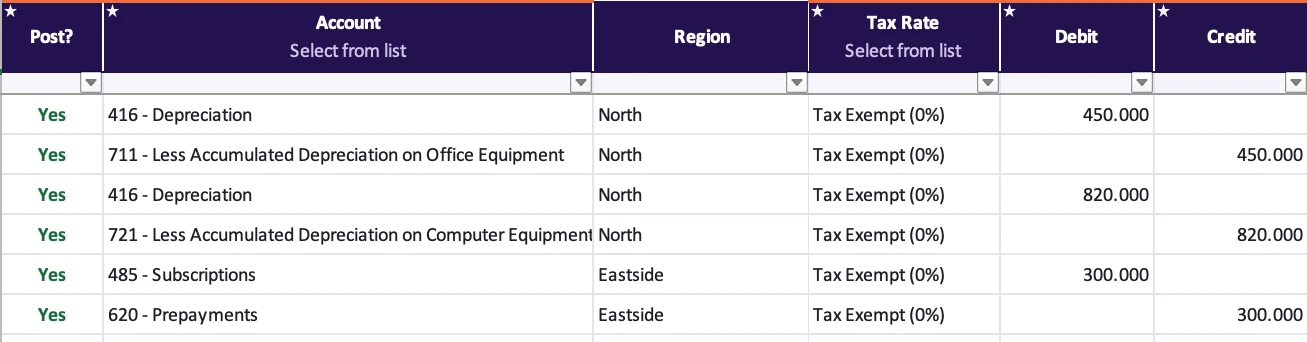
Excel, two journals of six lines

Check that it balances
In ExcelOpen Notes & Controls. The Controls box adds up the lines you're about to send. Difference (debits - credits) must be 0 before you post.
Controls box for the two journals Controls Lines Amount Debit lines to send 3 1,570.00 Credit lines to send 3 1,570.00 Difference (debits - credits) 0 Check: debits equal credits Notes & Controls, the Controls box
Choose what to send
In ExcelOnly rows with Post? set to Yes are sent. In Post Type, Save as Draft sends a draft to review in Xero, and Post posts it straight away.
Attach your workings. Set Upload Sheet? to Yes and Rows attaches the sheet with your workings, say how the office rent was calculated, to the journal in Xero. Name that sheet exactly as the journal's My Unique Reference: the workings for RENT-2026-10 go on a sheet called RENT-2026-10.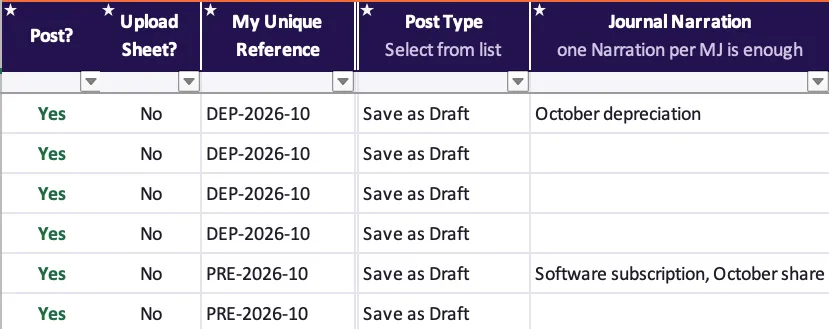
Excel, Post? and Post Type Post and confirm
In ExcelIn the Rows pane, select Post. Confirm upload lists the Xero tables that will change. Nothing has changed yet: select Proceed to send the lines.
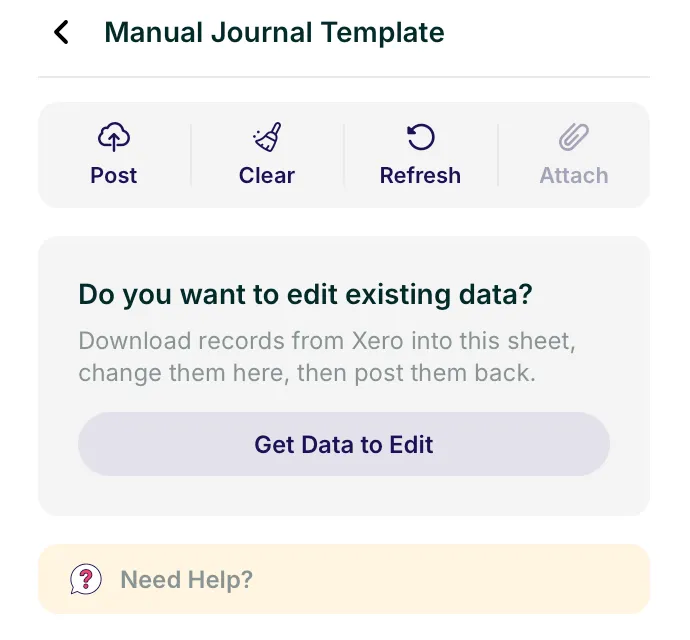
Rows pane, Post 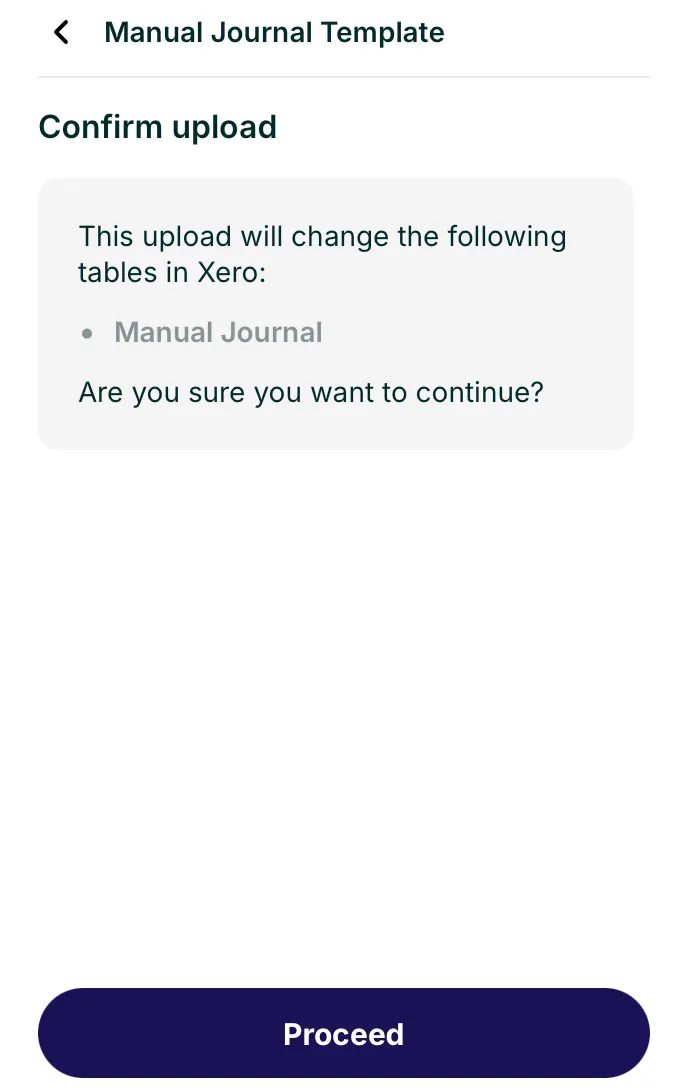
Rows pane, Confirm upload
See what was posted
In ExcelAfter Proceed, a popup shows the results. Each posted row's Post? turns back to No, so the same lines can't go twice. Drafts wait in Xero until someone posts them there.
The six rows after posting Post? Debit Credit No 450.000 No 450.000 No 820.000 No 820.000 No 300.000 No 300.000 Excel, after posting
On QuickBooks Online
The Journal Entries editor works the same way, except:
- No drafts: Post creates the journal entries straight away.
- Post? is Yes, No or Delete, to remove an entry brought in with Get Data to Edit.
- Lines can carry a customer, vendor, location and class.
Other records you can post
Every editor works like Manual Journals. Invoices post to both Xero and QuickBooks Online: on Xero you choose Draft, Awaiting approval or Authorised, and on QuickBooks Online they post straight away, as it has no statuses. Each editor shows between 1,000 and 10,000 rows, and you can unhide more: there's no hard limit.
 Xero, 17 editors
See all 17 editors
Invoices, Bills & Payments · Manual Journals · Bank Transactions · Chart of Accounts · Xero Conversion Tool · Bank Transfers · Contacts · Tracking Categories · Purchase Orders · Items · Batch Payments · Contact Groups · Quotes · Projects · UK Payroll Timesheets · AU Payroll Timesheets · Repeating Invoices
 QuickBooks Online, 11 editors
See all 11 editors
Invoices and Bills · Journal Entries · Chart of Accounts · Purchase & Sales Receipt · Vendors & Customers · Inventory Items · Classes & Departments · Time Activities · Purchase Order · Employees · Estimates
Posting to Zoho Books isn't available yet.
If something goes wrong
A cell turned red
A required column is empty on a row set to Yes. Fill it in from its drop-down. If the drop-down is empty, select the refresh icon in the Rows pane.
Debits and credits don't match
Look at Difference (debits - credits) on Notes & Controls. Each journal must balance: give every line a debit or a credit, not both, and one My Unique Reference per journal.
I posted the wrong line
Bring it back with Get Data to Edit, correct it or set Post? to Void (Delete on QuickBooks Online), and post again. Or void it in Xero. Journals before your lock date can't be changed.
Nothing seemed to happen after Post
Rows only sends the lines once you select Proceed on Confirm upload, and then shows a popup with the results. If you closed it, check Post?: a line that reached Xero has turned back to No.
Next step
All guidesBack to the Help centreStuck on a journal? Talk to a person on the team that builds Rows.
Talk to a person.
Email support
Tell us what you see on screen. We reply within 24 hours on working days.
support@rowsapp.comBook an onboarding call
Free during your trial. We'll connect your entities with you and set up your first live report.
Book a call